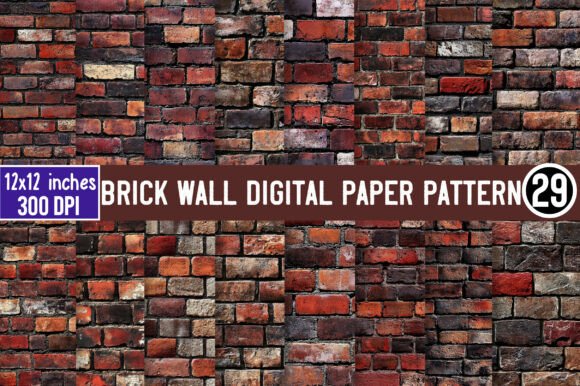
Mastering the Brick Wall Digital Paper Pattern for Professional Designs
There is a distinct charm to urban textures in graphic design. The Brick Wall Digital Paper Pattern offers that perfect blend of grit and structure, making it an ideal backdrop for everything from rustic wedding invitations to edgy streetwear branding. However, simply downloading a texture and slapping it onto a canvas rarely yields professional results. Many creators, from hobbyists to small business owners, often overlook critical technical details that can make or break the final product. By understanding common pitfalls in selection and application, you can ensure your projects look polished rather than amateurish.
The Resolution Trap: Why 72 DPI Isn't Enough
One of the most frequent mistakes beginners make is ignoring resolution requirements until it is too late. You might find a brick pattern that looks crisp on your smartphone screen, only to discover it appears pixelated and blurry when printed on a greeting card or t-shirt. This happens because screen displays typically operate at 72 dots per inch (DPI), whereas professional printing requires a minimum of 300 DPI.
When you are evaluating a Brick Wall Digital Paper Pattern, always verify the file specifications before purchasing. A low-resolution image forces you to scale it down significantly to hide the pixels, which limits your design flexibility. Conversely, starting with a high-resolution 300 DPI file ensures that every mortar line and brick imperfection remains sharp, whether you are printing a large poster or a small sticker. Always check the file properties; if the seller does not explicitly state the resolution, proceed with caution.
Misunderstanding Transparent Backgrounds
Another area where confusion often arises is the concept of transparency. Many users assume all digital papers come with transparent backgrounds by default, but this is not always the case. Some patterns are saved as flat JPEGs with a white or colored box behind the texture. This can be disastrous if you intend to overlay the brick pattern onto a colored background or integrate it into a complex composite image.
To avoid tedious editing work later, ensure your download includes PNG files with transparent backgrounds. This format allows the brick texture to sit seamlessly over any color or image without a visible rectangular border. For instance, if you are designing a friendship-themed invitation with a soft pastel background, a transparent PNG lets the brick texture blend naturally, whereas a JPEG with a white background would require manual erasing, often resulting in jagged edges and lost detail.
Commercial Use: Reading the Fine Print
For entrepreneurs and freelancers, the licensing terms are just as important as the visual quality. A common misconception is that purchasing a digital file automatically grants the right to use it in products for sale. This is not universally true. Some licenses restrict usage to personal projects only, meaning you cannot sell t-shirts, mugs, or digital planners featuring that specific pattern.
Before integrating a Brick Wall Digital Paper Pattern into a product line, confirm that commercial use is allowed. Reputable sellers will clearly state this in the product description. Ignoring this detail can lead to copyright strikes or legal issues down the road. If you plan to create physical goods like scrapbooking supplies or social media templates for clients, securing a commercial license protects your business and ensures peace of mind.
Optimizing Workflow with Instant Downloads
In the fast-paced world of content creation, time is money. Waiting days for a file delivery via email can disrupt your workflow and miss deadlines. Modern digital marketplaces have solved this with instant download capabilities. However, users sometimes fail to organize these files immediately after purchase, leading to lost assets and repeated purchases.
When you receive your package of 29 PNG files, take a moment to organize them into a dedicated folder on your hard drive or cloud storage. Label them clearly based on variation or tone (e.g., "Red_Brick_Light," "Gray_Brick_Dark"). This simple habit saves hours of searching later when you are in the middle of a creative sprint. Furthermore, having immediate access allows you to test the patterns in your design software right away to ensure they meet your specific aesthetic needs.
Practical Applications Beyond Basic Backgrounds
While many people limit brick patterns to simple backgrounds, their versatility extends much further when used correctly. Consider using the texture as a clipping mask for typography, giving your headlines a rugged, industrial feel. Or, apply the pattern to specific elements within a layout, such as the border of a planner page or the handle of a digital mug mockup.
- Greeting Cards: Use the texture to add depth to friendship-themed invites, pairing it with hand-written fonts for a warm, personal touch.
- Merchandise: Apply the pattern to t-shirts and mugs, ensuring the high resolution holds up against fabric textures and ceramic curves.
- Social Media: Create cohesive post templates where the brick wall serves as a consistent brand element across Instagram or Pinterest.
- Scrapbooking: Layer the digital paper with other elements to create realistic, tactile-looking digital layouts.
Troubleshooting and Support
Even with the best preparation, technical glitches can occur. Files may fail to download, or a specific variant might not open in your software. A common error is assuming the problem lies with your computer without seeking help. Most reputable sellers offer support, but customers often hesitate to reach out.
If you encounter any problems with your download or the product, contact the seller anytime. Reliable creators understand that technical issues happen and are usually eager to resolve them quickly to maintain their reputation. Whether it is a corrupted file or a question about usage rights, clear communication ensures you get the value you paid for. Do not let a minor technical hurdle ruin a project; a quick message can often result in a replacement file or a helpful tutorial within hours.
Making the Right Choice for Your Project
Ultimately, the success of your design depends on the quality of your assets and how well you understand their limitations. By prioritizing high-resolution files, verifying transparency, respecting licensing terms, and organizing your workflow, you transform a simple texture into a powerful design tool. The Brick Wall Digital Paper Pattern is more than just an image; it is a foundational element that can elevate your creative work from ordinary to exceptional. Take the time to evaluate your resources critically, and your final outputs will reflect that care and professionalism.